
Where Did the Zeros Go? When an Identifier Starts Looking Like a Number
Customer codes are labels, even when they contain only digits. Preserve source identifiers, review data types and test leading-zero values across the report.
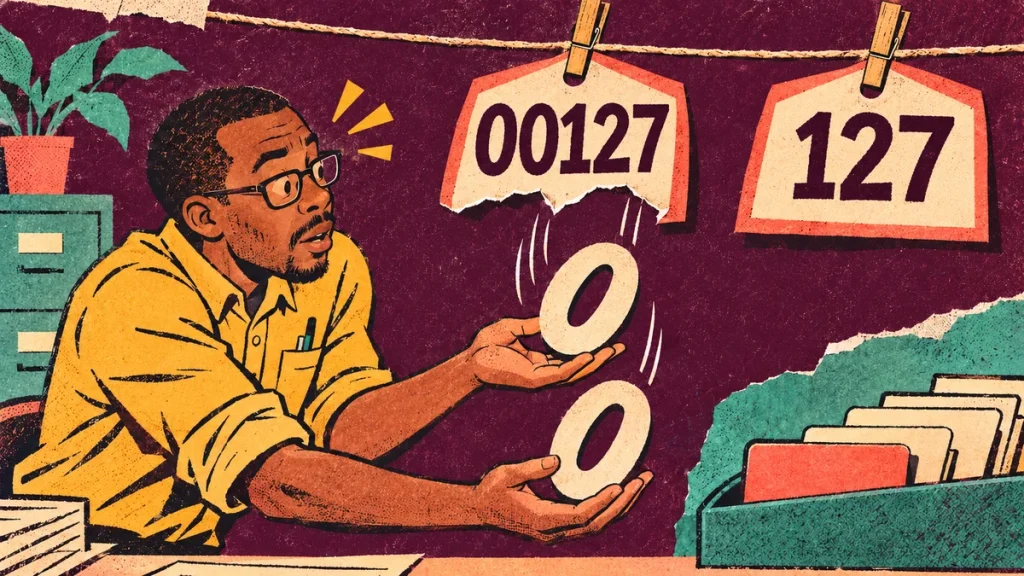
The customer code was 00127 in the source file. In the report it looks like 127. The digits may seem equivalent, but a code is a label, and its exact form may matter to the system or person using it.
Before importing a field, decide whether it represents a quantity to calculate or an identifier to preserve. Appearance alone is a poor guide.
Ask what the field means
Imagine a fictional service-office assistant preparing a monthly report. A customer identifier contains leading zeros. Another field contains the number of completed jobs. Both contain digits, but they serve different purposes.
You can add job counts meaningfully. Adding customer codes does not describe useful business activity. Treating the code as a label helps make the intended import rule explicit.
The rule should also cover longer codes, mixed letters and digits, and any format the source actually permits. Avoid designing the import around only the first few sample rows.
Preserve the original evidence
Keep an untouched source copy and inspect the data types used during preparation. Power Query includes steps for changing column types; review the chosen type against the field’s meaning rather than accepting a convenient-looking result without checking.
If the source has already lost information, changing a display format does not necessarily reconstruct the original identifier. Obtain the authoritative value or the documented source rule before trying to repair it.
Do not assume every short numeric-looking code needs zeros added. A rule for one system may be wrong for another, and two different identifiers should not be casually made to look the same.
Check the whole route
Look at the identifier in the incoming file, the prepared table and the final lookup or report. Does it remain recognisable at every stage? Can the intended record still be matched without an improvised correction?
Choose fictional examples that expose the difference: a code beginning with zeros, a code without them and an alphanumeric code if the source permits one. Compare the exact values, not only their screen appearance.
If the report combines several sources, agree how their identifiers relate. Similar labels do not automatically refer to the same customer or product.
Make the rule easy to find
Add a short note to the reporting method: field name, purpose, intended type and source of truth. If a colleague changes the import, they should be able to see why that decision was made.
Include an exception route for an unfamiliar code. The assistant should not have to guess whether to pad it, shorten it or merge it with another record just to complete the month.
This is a small detail with a practical purpose: the report should keep the identity of the things it describes. A neat column of digits is useful only when the labels still point to the right records.
Keep the reporting method connected
Explore the Make the Imported Detail Worth Summarising guide and the related practical questions below.
- The Rows Multiplied After the Join. Did the Business Really Grow?
- The Total Matches. Why Are Some Orders Still Missing?
If you want a written practice route, review the Excel Monthly Reports with Matze course overview. It requires compatible Excel Desktop for Windows with Power Query; you build the report yourself.
Check the course contents and current price. Affiliate link: Superstore may earn a commission if you buy. Check current contents, requirements and terms before purchasing.
Technical reference: Microsoft: About Power Query in Excel. Checked 17 November 2026. The fictional business exercise and reporting recommendations above are Superstore editorial guidance.



Discussion 0
What did this article make you think about?