Category: Video & Audio

Make useful videos, tutorials and stories with deliberate choices about sound and presentation.

  • Tell a Nonprofit Story Without Letting the Music Do the Persuading

    Tell a Nonprofit Story Without Letting the Music Do the Persuading

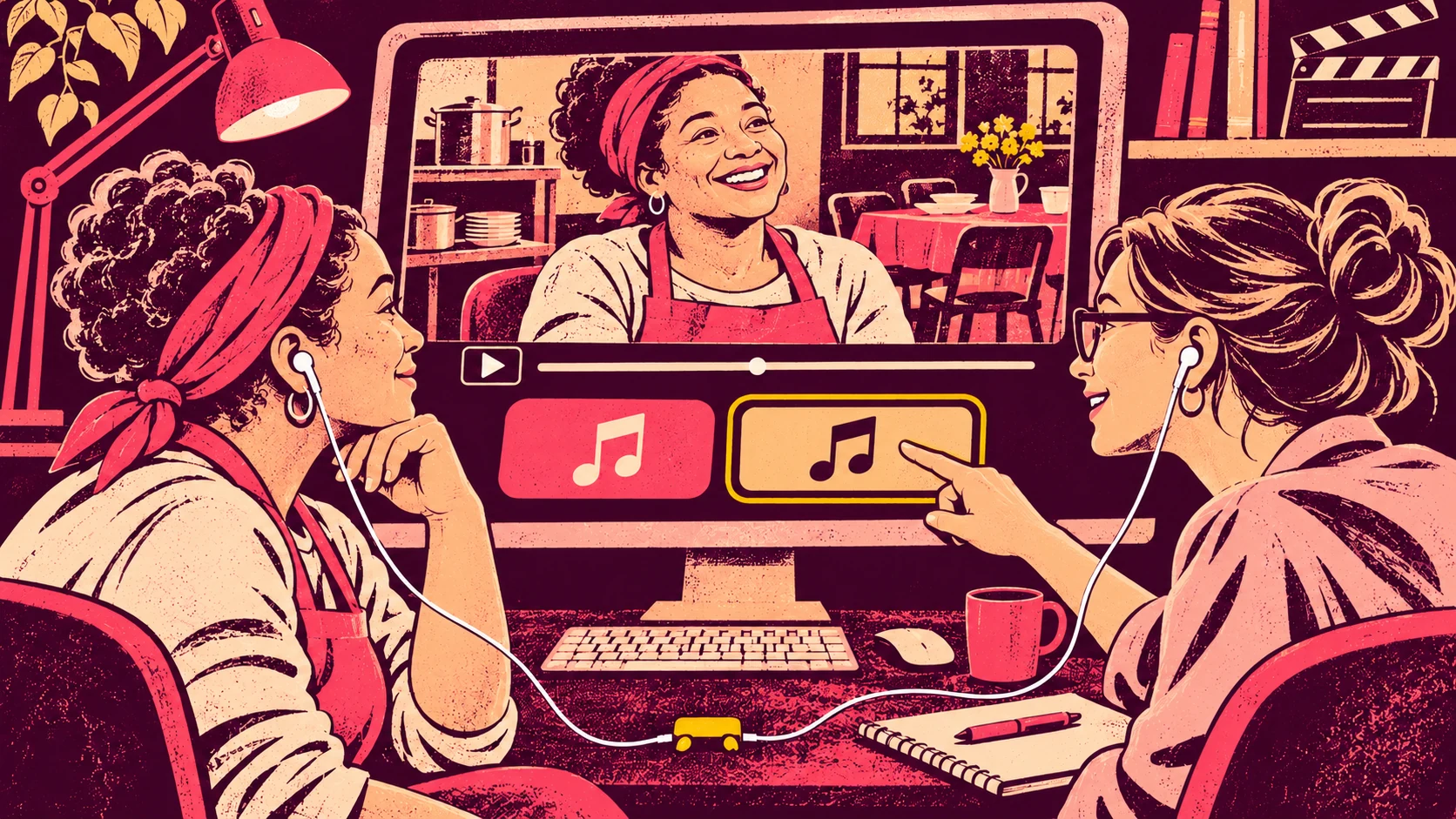
    A volunteer explains why the community kitchen matters to her. She pauses, smiles, and tells you about someone she now sees every week.

    Then you add the music. The same scene suddenly feels much sadder than the conversation did in the room.

    Nothing in the words has changed, but the way we receive them has. That is worth listening to before the video goes out. Music can help a story flow without deciding, on the speaker’s behalf, how we should feel about it.

    Decide what the video needs to do

    Start with a plain sentence: “This video shows [what happens here], through [whose account], and invites viewers to [one real next step].”

    For a community kitchen, that could be: “This video shows how the weekly meal brings neighbours together, through a volunteer’s account, and invites viewers to explore a volunteer role.” That gives you a different audio direction from an urgent fundraising appeal.

    The example is imagined, but you can use the sentence with your own footage. Keep it where everyone reviewing the edit can see it. If the purpose changes, update the sentence before searching for new music.

    Hear the story before adding a soundtrack

    Watch the interview and the supporting pictures with speech and natural sound only. Listen for the speaker’s own pace. A pause may be thoughtful, cheerful or simply the moment someone looks for a word. It does not automatically need an emotional cue.

    Mark the lines the viewer needs to hear clearly. Then note the ordinary sounds that help explain the setting: plates being put out, a door opening, people greeting one another. You might want to keep those details in the finished film.

    If a section does not make sense without music, check the edit first. Perhaps the introduction needs a clearer sentence, or the pictures need more context. A soundtrack is not a substitute for that information.

    Compare two candidates against the same scene

    Take a short sequence containing a spoken line, a pause and a change of picture. Listen to it without music, then with each candidate at a similar volume beneath the voice. You are looking for fit, not the most emotional track.

    In the community-kitchen example, pay attention to the volunteer’s smile. Does the music let it feel warm and ordinary, or turn it into a moment of pity? When the scene changes to people laying tables, does the track help the movement or pull attention away from what they are doing?

    Ask a colleague three questions: What did the person say? What impression did you get of the place? What do you think the invitation is? If the answers are mostly about the soundtrack, simplify the mix and listen again.

    Keep people involved in how they are presented

    Where someone has agreed to review their contribution, show the relevant edited passage with its soundtrack. The music is part of the presentation they are being asked to consider, not a finishing detail that has no effect on the story.

    Check consent and your organisation’s agreed review process before publishing. You can tell an engaging story while respecting a person’s choice about how their words and image are used. Do not assume that a compelling edit settles that choice for them.

    For filming children or people in a vulnerable situation, follow your organisation’s safeguarding and consent procedures. When those decisions need specialist review, make room for it in the schedule.

    Give the invitation a clear ending

    Play the last few seconds on their own. Can you hear the final line? Is the next step visible long enough to understand? Does its link actually lead to the volunteer information, event details or donation page you name?

    A forceful musical ending can make an ordinary invitation feel more urgent than it is. Try an ending that leaves the action clear instead. You do not need to promise a response from viewers to make the invitation worthwhile.

    For a compact way to agree the direction with an editor, use our one-sentence soundtrack brief. Keep the selected track, review note and license together using the shared music-folder approach.

    Find a resource you can judge against the actual film

    Marketing & Launches – Vol. 1 offers 18 background tracks for company videos, brand stories and promotional work. It is a one-time digital purchase rather than a recurring subscription.

    Its supplied license covers finished personal and commercial projects, including client videos. Keep a copy with your film and check it against your intended use; standalone audio resale or redistribution is not permitted. The license is separate from permissions for interviews, locations and other material in your video.

    Explore Marketing & Launches – Vol. 1 as a starting point for your shortlist. Let the people, their words and the work remain the reason to watch.

  • Let the Work Speak: Sound Choices for a Maker’s Brand Film

    Let the Work Speak: Sound Choices for a Maker’s Brand Film

    The film looks like your workshop. The soundtrack could belong to almost anyone.

    It is an easy mismatch to create. You find a polished track, put it beneath the pictures, and suddenly a careful making process feels like a fast product advert. Before searching for a different track, listen to what is already in the room.

    The scrape of a tool, a lid closing or a sheet of fabric moving across the table can tell us something about the work. Music can sit beside those details. It does not have to replace them.

    Find the moment that feels like your work

    Choose one short sequence rather than the whole film. Three shots are enough to start: the material, a pair of hands doing something to it, and the finished object.

    Imagine a woodworker making a small serving bowl. We see the rough surface, a hand sanding the rim and the bowl placed on a table. The interesting part is the change from material to useful object. That gives the sound a direction.

    Ask what you want someone to notice. Is it the care in a small detail? The feel of the material? The everyday use of the finished piece? Choose one emphasis for this sequence. You can say more elsewhere in the film.

    Record a few clean sounds

    If you are still filming, take a moment to record the activity without talking over it. Capture a short stretch of the room’s background sound as well. Keep the microphone safely clear of the work and listen for equipment noise that might cover the detail you want.

    You do not need to make every sound larger or more dramatic. A tool touching wood should still feel connected to the picture. If the original recording is unusable, you can choose a quieter treatment rather than add an unrelated sound just to fill the gap.

    Back at the edit, label the useful recordings by action. “Sanding rim” is easier to find than “audio final three”. Keep a little sound before and after the action so you have room to make a natural edit.

    Try three versions of the same sequence

    Make one version with workshop sound alone. Make a second with the maker’s voice, if the film has an explanation. Then try a third with your music candidate, keeping the important natural sounds and speech.

    Use exactly the same pictures for the comparison. Keep listening volume similar. Otherwise, you may end up choosing the most impressive mix rather than the one that tells the right story.

    In the bowl sequence, the workshop-only version may make the surface and hand movement feel close. The voice may explain why the maker rounds the rim. Music might help carry us from the workbench to the finished bowl on the table. Each layer should contribute something you can name.

    If you need a starting point for the film’s overall direction, write the one-sentence music brief before testing more tracks.

    Let the picture set the pace

    A slow, careful action does not always need slow music, but a strong musical change can make an ordinary movement feel like a dramatic reveal. Watch what happens when the track rises or its rhythm changes. Does your attention stay with the work?

    Try allowing a natural sound to lead a cut. The scrape can begin just before we see the hand, or continue briefly as we move to the finished object. Then listen to whether music helps connect those moments or simply makes them busier.

    You can also leave a short passage without music. A clear contrast often gives you more choice than running the same layer beneath the whole film.

    Show the edit to someone with one useful question

    Instead of asking “Do you like the music?”, ask “What did you notice about the product or the way it was made?” The answer can tell you whether the detail you cared about came through.

    If they remember the track but miss the making, try a simpler mix. If they understand the work but the ending feels abrupt, give the last shot and sound a little more room. Change one thing, then compare again.

    The film should also reflect the story you are telling about the product. Our guide to everyday-use and gift stories can help you choose which part of its value belongs in the foreground.

    Choose music that leaves the work recognisable

    Marketing & Launches – Vol. 1 brings together 18 background tracks for brand stories, company videos and launches. It is a one-time digital purchase, so you can evaluate this edition against the film you are making.

    The supplied license permits use in finished personal and commercial projects, including client videos. It does not allow standalone audio resale or redistribution. Keep that license with the project files.

    Explore Marketing & Launches – Vol. 1 and audition a candidate against your three shots. Keep the workshop sounds that matter. The aim is a film people recognise as yours.

  • A Repeatable Audio Checklist for Your Next Software Tutorial

    A Repeatable Audio Checklist for Your Next Software Tutorial

    You finish recording a useful tutorial. The clicks are right, the explanation makes sense, and then you spend the last part of the afternoon looking for something to play under the opening. Next week, you do it again.

    That is a good place to simplify. You do not need a new sound for every lesson. You need a small set of choices that fit the work, plus a quick way to check that they still work in the next video.

    Give the series a starting point

    Choose one finished lesson as your reference. Pick something fairly ordinary: an opening, some spoken instructions, a screen demonstration and an ending. A special announcement is a less useful reference for the rest of the series.

    Imagine a tutor making short spreadsheet lessons. The introduction names the task, the demonstration shows the cells changing, and the ending suggests something to try. Those moments do not all need the same audio treatment.

    Write one sentence beside the edit: “The explanation stays in front; music introduces the lesson and leaves before the detailed steps.” That is a working choice, not a permanent rule. A later lesson may need a different approach.

    Keep a shortlist small enough to use

    Find two or three candidates for the recurring moments where you actually want music. Name the job beside each choice: opening, transition or ending. Keep the original track filename so you can find it again.

    Then try each candidate against the same opening, with the same narration and roughly comparable listening volume. A louder option can feel more impressive simply because it is louder. Give the alternatives a fair comparison.

    If none fits, keep looking or use the voice alone. The point of a shortlist is to shorten a useful decision, not force a track into every empty space. For the bigger question of where music belongs, start with our one-lesson background-music test.

    Make a reusable starting edit

    Save a copy of the reference project with its audio choices in place. Before recording the next lesson, duplicate that project and give it a new name. Keep the reference unchanged.

    Think of this as an organised starting point rather than an automatic mix. Your voice may be quieter in the new recording. A screen demonstration may take longer. A sound that helped the last opening may distract from this one.

    In the spreadsheet example, a spoken warning about deleting data deserves attention. Move or remove the music there instead of keeping it because the previous episode used it. Consistency means the lesson is easy to follow, not that every second sounds identical.

    Run this check on the exported file

    The project in your editor is not quite the same thing as the file your viewer receives. Open the actual export and check these five things:

    • Opening: Can you hear the lesson’s task immediately, without turning up the volume?
    • Instructions: Are menu names, numbers and warnings easy to follow?
    • Edits: Do music starts, stops and scene changes sound intentional rather than cut off?
    • Ending: Does the last sentence finish before the audio disappears?
    • Everyday playback: Can you follow the explanation on the laptop speakers or headphones your viewers are likely to use?

    Listen to part of the lesson without watching, too. If you lose the thread, check whether the explanation or the mix needs work. Music cannot supply a missing instruction.

    Leave tomorrow’s edit an easy handover

    Keep a short note with the finished episode: reference project, track filename, where it was used and anything you changed. Include the location of the license. Our shared music-folder guide shows how to organise those files when another person joins the work.

    For a lesson series, Thinking & Learning – Vol. 1 gives you 18 background tracks to audition for tutorials, courses and explainers. It is a one-time digital purchase. The supplied license covers finished personal and commercial projects; the audio is not for standalone resale or redistribution.

    Start with your next opening and choose a couple of tracks to test. Explore Thinking & Learning – Vol. 1, then keep the choices that make the lesson easier to listen to. Your next episode can begin there.

  • How to Choose a Production Music Library That Fits Your Work

    How to Choose a Production Music Library That Fits Your Work

    Start with the work, not the catalogue

    Your studio has three projects coming up: a company film, a set of course videos and a product launch. Each needs music, but not necessarily the same kind.

    You're reviewing production music resources and find a collection containing 36 tracks. That's a useful starting point. But the number alone doesn't tell you whether the collection belongs on your shortlist.

    A better question is: Which of our actual briefs could this library help us deliver?

    That question turns a catalogue comparison into a production decision. Instead of buying music because there's plenty of it, you're evaluating whether the available options suit the work your team needs to complete.

    Three briefs, three different decisions

    Consider this fictional studio workload.

    Brief 1: A company film. The client wants to explain what the business does and why it matters. The soundtrack needs to support the message without competing with the spoken content.

    Brief 2: A training course. The team is producing several learning videos. Map where background music belongs in a lesson before choosing tracks. Music may be useful for introductions, transitions or other selected moments. The editor needs to judge where it adds something and where silence or speech alone works better.

    Brief 3: A product launch. The video introduces something new and invites viewers to take an interest. A one-sentence launch-video brief gives that soundtrack decision a useful focus. The soundtrack needs to fit the intended pace and character of the presentation.

    These are different creative problems. A track that suits the launch might be distracting in a lesson. A restrained background piece might work beautifully in a company presentation but feel out of place in a faster promotional edit.

    That's why a useful music library isn't simply one with a large number of tracks. It's one where you can identify suitable candidates for the briefs you're handling.

    What a combined music collection actually offers

    Complete Music Library – Vol. 1 brings together 36 Starfireblast background music tracks in one digital edition.

    The collection is intended for learning content, company videos, product launches and presentations. That gives your studio a relevant starting point when reviewing resources for a mixed production schedule.

    The practical value is having alternatives to consider within one collection. When a track doesn't suit a particular edit, you can review another option without immediately moving to a different resource.

    But there's an important distinction: 36 tracks means 36 available tracks, not 36 guaranteed matches for your projects.

    Before recommending the collection, listen against the actual briefs. Identify which tracks you would shortlist for each production. Note where the collection appears useful and where you still need another option.

    A smaller number of genuinely suitable tracks may be more valuable to your current workload than a much larger catalogue that doesn't match the work.

    Licensing belongs in the production decision

    Finding the right sound is only part of the job. Your team also needs to know whether the music can be used in the finished deliverables.

    Complete Music Library – Vol. 1 includes personal and commercial project use under its supplied license. That includes finished client videos, courses and presentations.

    No recurring royalties or attribution are required under that license.

    For a studio delivering client work, this matters because the intended finished-project uses are part of the purchasing decision, not an afterthought.

    There are also boundaries worth understanding. The tracks cannot be resold or redistributed as standalone audio, and purchasing usage rights does not transfer authorship.

    If a client needs the original audio files for independent distribution or an arrangement beyond the supplied license, check that requirement separately before committing.

    A clear licensing review helps your team distinguish between using music in a finished production and distributing the music itself.

    One edition instead of another subscription

    Production teams often need to justify not only what a resource provides, but also the commitment it creates.

    Complete Music Library – Vol. 1 is a one-time purchase of the current edition. It is not a subscription, and the purchase does not promise future additions.

    That gives your team a straightforward question to answer: Is this edition useful enough for the work we're planning now?

    You don't need to build a recommendation around future releases or an ongoing membership. Evaluate the existing collection against your production requirements.

    The edition is delivered digitally, with no physical product shipped.

    Build a project-specific shortlist

    Before you make a recommendation, try a simple evaluation with your next three briefs.

    1. Write down the purpose of each video. Is it explaining, teaching, introducing or promoting something? Identify what the music should contribute. 2. List the important creative requirements. Consider pace, mood, spoken content and the role of music within each edit. 3. Review the available tracks. Listen for candidates that suit each brief. Don't count a track as suitable just because it belongs to the collection. 4. Check the intended use. Confirm that the finished project and any client delivery requirements fit the supplied license. 5. Record the gaps. If you cannot identify a suitable track for a brief, leave that requirement open rather than forcing a match. 6. Prepare your recommendation. Show the team which projects have promising soundtrack candidates, which still need alternatives and why the purchase makes sense for the current workload.

    You can keep the results in a simple table with three columns: project, shortlisted tracks and remaining questions.

    The point isn't to prove that one library can handle everything. It's to make a resource decision your team can understand and evaluate.

    Make the recommendation about the work

    When you present your shortlist, lead with the briefs rather than the catalogue size.

    Instead of saying, 'This collection contains 36 tracks,' explain which upcoming productions have suitable candidates, how the licensing relates to your deliverables and why a one-time edition fits your purchasing approach.

    That's a stronger basis for discussion because it connects the resource directly to the team's work.

    Complete Music Library – Vol. 1 offers 36 background music tracks, permitted uses in finished personal and commercial projects under the supplied license, and a purchase model without a recurring subscription.

    Whether it belongs in your studio's working library depends on how well the music fits your actual projects.

    Next step: Explore Complete Music Library – Vol. 1, review the tracks against your current briefs and decide which ones deserve a place on your project-specific shortlist.

  • A Shared Music Folder Your Course Team Can Actually Use

    A Shared Music Folder Your Course Team Can Actually Use

    The tracks are downloaded. Someone has tried a few in a lesson introduction, someone else is editing a programme trailer, and the next person cannot tell which file was chosen. A shared music resource only becomes useful when the team can find both the audio and the reasoning behind its use.

    You do not need a new asset-management platform to begin. A small folder structure and one selection note can make the next editing session easier to pick up. Build it around the projects you actually have.

    Keep source files separate from project choices

    Start with an original-download folder containing the supplied files and license documentation. Keep those file names intact so that your project notes can refer back to a recognisable source. Store it in an appropriately access-controlled team location; a shared folder is not permission to distribute recordings outside the allowed use.

    Next, create a project-notes area. That is where you record candidates and decisions for individual videos. You can organise it by project name or by an existing project identifier. Avoid creating several renamed copies called “final music” with no trace of where they came from.

    For example, a fictional online academy might have an introductory lesson about interviewing customers and a trailer for the same programme. Both projects can refer to the same source collection. They still need separate selection notes because the videos ask different things of their viewers.

    Make one small index people will maintain

    A plain spreadsheet or text table is enough. Give each row a project, a section of the video, the candidate track’s original file name, a short reason, a decision status and a link to the working edit. Include the location of the source and license documentation.

    Useful statuses are simple: candidate, selected, not used. A track auditioned in an early cut should not look like a final decision. If a colleague changes the selection, add a brief reason rather than silently replacing the old note.

    In the lesson row, a note might say: “Candidate for the opening only; detailed instructions remain voice-led.” In the trailer row: “Selected for the product demonstration sequence; check the ending against the spoken invitation.” Those are editing decisions people can understand when they return to the project.

    Label shortlists by the job, not a vague mood

    A label such as “nice tracks” does little for the next editor. “Lesson openings to audition” or “programme trailer candidates” says where to start. You can include a mood description, but keep it attached to a practical purpose.

    Do not treat the shortlist as a rule that all tutorials must use one track. The actual voice, pictures and pace still matter. Your index should narrow the next decision, not replace listening. A project can also record “no music in this section” as a deliberate, finished choice.

    Leave a handover that answers the next question

    When an edit is ready for review, record which version contains the chosen soundtrack and who needs to check it. Keep the original audio reference, intended finished-project use and license reference close to the deliverable note.

    For client work, distinguish the completed video from requests for isolated audio files. Check the supplied license before handing over anything beyond the finished project. Clear notes help the team answer the question without assuming that a purchase transfers authorship or unlimited redistribution rights.

    Finally, name one person to keep the index tidy for the current project. That need not be a permanent administrative role. At the end of an editing session, the practical task is small: mark the chosen candidate, link the current cut, and leave a sentence explaining the decision.

    Use a combined collection when the workload calls for it

    Complete Music Library – Vol. 1 combines 36 tracks for learning and promotional work in one edition. The smaller Thinking & Learning and Marketing & Launches collections may be the more relevant starting point if your current work covers only one of those needs.

    For the creative distinction between the two uses, read One Music Collection, Two Jobs. Then organise just one project. A source folder, a short index and a decision note are a useful first version of a system the team can return to tomorrow.

    To build your first shortlist, use the course-background-music listening exercise or the one-sentence launch-video music brief, depending on the project in front of you.

  • Choosing Music for a Product Launch? Start With a One-Sentence Brief

    Choosing Music for a Product Launch? Start With a One-Sentence Brief

    Your product footage is ready, but every soundtrack sends the edit in a different direction. One makes it feel urgent. Another makes it feel thoughtful. A third sounds impressive on its own and somehow wrong under your voice. Stop auditioning for a moment. Decide what this particular video needs to say.

    A short music brief gives you a way to choose. It also gives a colleague or editor something more useful than “make it exciting.” You can write the first version in a sentence.

    Name the viewer, the moment and the next step

    Try this structure: “This video helps [viewer] see [one product idea] and invites them to [real next step], with a tone that feels [two useful words].” Keep the words specific enough to guide a choice.

    For a fictional studio launching a compact desk organiser, that might become: “This video helps people working at a small desk see how the tray keeps their everyday tools together and invites them to explore the product page, with a tone that feels practical and considered.”

    That sentence does not claim the product will transform productivity. It identifies what the footage can show and what the viewer can do next. The soundtrack now has a job: fit a small, useful product story rather than announce an imaginary world-changing event.

    Choose one excerpt that contains the real challenge

    Do not compare tracks over an empty timeline. Use the same short sequence for each option. Include a moment with speech if the finished video has narration, a visible product action, and the ending if the call to action needs room.

    In the desk-organiser example, the excerpt could show a cluttered corner, a hand putting three tools into the tray, and the finished arrangement. If those are the important pictures, listen for whether the music leaves them room. A dramatic rise may work against the modest scale of the demonstration.

    Keep the comparison fair. Avoid choosing a track simply because its test version is much louder than the alternatives. Listen to the voice, natural sounds and music together, because that is what the viewer will receive.

    Ask for feedback that can change the edit

    Instead of asking which track everyone likes, share the sentence from your brief and ask three questions: does this option fit the product moment, can you follow the message, and does the ending leave the next step clear?

    Useful feedback points to something you can adjust. “The change in the music draws attention away from the demonstration” gives an editor a decision to examine. “It needs more energy” needs a follow-up: where, and for what purpose?

    If stakeholders disagree, return to the intended viewer and the footage. You do not have to reach a universal judgement about the best music. You need a justified choice for this video. Two carefully selected options are often more productive to review than a long folder with no explanation.

    Give the ending its own listening test

    Play the final few seconds separately. The viewer may need to read a short invitation, hear the final line, or recognise the product name. Check that the audio treatment does not rush or obscure that moment.

    The call to action should lead somewhere that exists. If the product page is the next step, use that destination rather than inventing a discount, deadline or offer to make the video feel more urgent. Music can shape presentation; it does not supply missing commercial facts.

    Keep the choice with the project

    Record the selected file, the brief, the approved excerpt and the relevant license reference alongside the edit. If you return to the video later, those notes explain why the choice was made. They also help distinguish the finished client or company video from the underlying audio files.

    Marketing & Launches – Vol. 1 offers 18 background tracks for company videos, launches, brand stories and presentations as a one-time digital purchase. Check its supplied license for your intended use and audition for fit; the number of tracks is not a promise that every brief is covered.

    If you are choosing a resource for several productions, compare music libraries by the briefs you need to deliver. If your workload includes teaching as well as promotion, read the guide to separate course and promotional soundtrack decisions. Start your current edit with the sentence, though. It gives every subsequent listening choice a reason.

    Working with an editor or a colleague? Keep the chosen track and review note easy to find with a shared music-resource index.

  • Background Music for Online Courses: Where Does It Help?

    Background Music for Online Courses: Where Does It Help?

    You have recorded your first lessons. The explanations are there, the demonstrations work, and now the edit feels a little bare. Before putting music underneath everything, try a more useful question: which parts of this lesson have a job that music could help you shape?

    You do not need to decide on a soundtrack for an entire course at once. Start with one lesson and make a small map of its different moments. That gives you something concrete to listen against.

    Give each part of the lesson a job

    Imagine a fictional creator recording a lesson about photographing handmade products. Her opening introduces the finished photograph. The next section explains where to place a lamp. A demonstration follows, then a pause for the learner to arrange their own setup.

    Those sections ask different things of the viewer. The opening sets the scene. The instructions contain information the learner needs to hear. The demonstration makes a change visible. The pause gives the learner time to work. Treating them as one continuous soundtrack decision hides those differences.

    On a sheet of paper, write four lines: opening, explanation, demonstration, pause. Beside each, note what the learner should hear, see or do. If a section contains an important spoken instruction, put that on the map before considering music.

    Make a short comparison, not a final commitment

    Choose a short excerpt that includes both speech and a change in the picture. Listen first without music. Then try a candidate track against the same excerpt, at a restrained level, keeping the narration and other sounds in place.

    Ask specific questions. Can you follow the instruction without straining? Does a musical change pull your attention away from the demonstration? Does the opening feel appropriate for the subject, or does it promise a different kind of experience? Listen through the small speakers or headphones you commonly use as well as your editing setup.

    This is a practical listening exercise, not proof of how every learner will respond. If you can ask someone to review the excerpt, ask them what they heard and what they thought the next task was. That is more useful than asking only whether they liked the music.

    Use silence as an option you can choose

    A lesson does not become unfinished because some sections have no music. You might choose a short musical opening, remove the track for a detailed explanation, and bring it back for a visual transition. You might also find that the recorded voice and natural sounds already give the lesson what it needs.

    In the photography example, the creator could keep the lighting instructions free of music and audition a track for the short sequence showing the completed setup. The point is to make the decision deliberately, rather than fill every quiet moment because a track is available.

    Keep a decision note for the next lesson

    Once an excerpt works, save a simple note with the project: the section, the track you tested, the reason for your choice, and where you decided against music. Keep the original music file name and its license reference with that note.

    Your next lesson can start from those decisions without copying them blindly. When several different productions are coming up, evaluate a music library against those actual projects. A dense troubleshooting lesson may need a different treatment from an introductory demonstration. A shortlist saves you from starting the search again; it does not require every lesson to sound identical.

    Choose a resource that fits the course you are making

    Thinking & Learning – Vol. 1 brings together 18 background tracks for courses, tutorials, explainers and thoughtful presentations. It is a one-time digital purchase of this edition. Review the product information and supplied license against your intended finished project; the recordings are not standalone assets to resell or redistribute.

    If you are also preparing a launch trailer, keep its purpose separate. Write a separate launch-video music brief before auditioning tracks. The existing guide One Music Collection, Two Jobs explores that comparison. For today, finish one small decision: mark where music belongs in one lesson, test an excerpt, and keep the version that serves the explanation.

    When you return to the next lesson, keep the chosen files and notes together. This shared music-folder workflow gives you a simple way to record and find the decision.

  • One Music Collection, Two Jobs: Soundtracking Your Course and Its Promotion

    Your course and your promotion need different things

    You are preparing a course. Some days you are editing lessons, explaining ideas and arranging examples. On others, you are working on a video that introduces the course to potential learners. Both need your attention, but they serve different purposes.

    The music you choose should respect that difference.

    A lesson needs room for explanation. A promotional video needs to introduce what you are offering. One soundtrack may suit both, but it is worth asking whether different tracks would better support each piece.

    How do you make that choice without turning music selection into another complicated project?

    Start with the job of each video

    Before listening to music, consider what the viewer should focus on.

    For a lesson, the priority is usually understanding. Your voice, examples and explanations carry the teaching. Background music should fit around those elements rather than compete with them.

    For a promotional video, the emphasis changes. You are introducing the course, communicating its subject and helping someone understand why it may be relevant to them.

    That does not automatically mean choosing louder or faster music. A thoughtful introduction may call for a restrained atmosphere, while a practical demonstration may benefit from something different.

    The useful question is not simply, 'Which track sounds best?' It is, 'Which track belongs in this particular piece?'

    An example: one course, two editing decisions

    Imagine a fictional creator preparing a short course about organizing creative projects.

    The creator has recorded a lesson explaining how to break a large assignment into manageable tasks. The video includes spoken instructions and an example that viewers need to follow carefully.

    While editing, the creator considers several background tracks. One feels energetic but draws attention away from the explanation. Another feels more restrained. The creator tests that second option beneath the narration, adjusting the edit to see whether the words remain clear.

    Next comes the promotional video. Its purpose is different: introduce the course, show what it covers and invite interested people to explore it.

    The creator returns to the same music collection but listens with a different question in mind. Which track fits the introduction and the message being communicated?

    The eventual choice may be different from the lesson soundtrack. That is not inconsistency. Each piece has its own communication task.

    Complete Music Library – Vol. 1 contains 36 Starfireblast background music tracks. Having multiple tracks to consider gives a creator alternatives when choosing music for lessons and promotional materials. Whether enough of those tracks suit a particular project is something to judge by listening.

    Try a two-video music exercise

    Choose one lesson and one promotional video you are currently preparing, or imagine two pieces you plan to create.

    Take a few minutes to work through these questions:

    1. Define the purpose. Write one sentence describing what each video needs to accomplish. Keep the lesson's teaching purpose separate from the promotional video's introductory purpose. 2. Identify the focus. What should the viewer notice most: spoken instructions, a demonstration, the course subject or the invitation to learn more? 3. Compare tracks. Listen to a few candidates against each video. Notice whether the music supports the intended focus or competes with it. 4. Test the actual edit. Place a candidate track beneath a short section of each video. Listen with the narration and other sounds included, not just to the music by itself. 5. Record your decision. Note which track you selected and why. You can revisit that reasoning when preparing related material.

    You do not need to use different music simply because the videos have different purposes. The aim is to make a deliberate choice.

    Choose a collection that fits your work

    If you regularly create both educational and promotional content, a collection of tracks may give you useful choices across those projects.

    Complete Music Library – Vol. 1 is a one-time digital purchase, not a subscription. Its supplied license covers personal and commercial use in finished projects, including courses, presentations and client videos, without recurring royalties or required attribution. Standalone resale or redistribution of the audio is not permitted.

    Before choosing the full library, consider how many tracks you realistically need and whether their sound fits the work you are making.

    Start with your next lesson and promotional video. Their different purposes will help you decide what kind of musical variety is genuinely useful.