A Shared Music Folder Your Course Team Can Actually Use
Make a shared music folder useful: keep source files, project shortlists and selection notes connected so the next editor can pick up the work.

The tracks are downloaded. Someone has tried a few in a lesson introduction, someone else is editing a programme trailer, and the next person cannot tell which file was chosen. A shared music resource only becomes useful when the team can find both the audio and the reasoning behind its use.
You do not need a new asset-management platform to begin. A small folder structure and one selection note can make the next editing session easier to pick up. Build it around the projects you actually have.
Keep source files separate from project choices
Start with an original-download folder containing the supplied files and license documentation. Keep those file names intact so that your project notes can refer back to a recognisable source. Store it in an appropriately access-controlled team location; a shared folder is not permission to distribute recordings outside the allowed use.
Next, create a project-notes area. That is where you record candidates and decisions for individual videos. You can organise it by project name or by an existing project identifier. Avoid creating several renamed copies called “final music” with no trace of where they came from.
For example, a fictional online academy might have an introductory lesson about interviewing customers and a trailer for the same programme. Both projects can refer to the same source collection. They still need separate selection notes because the videos ask different things of their viewers.
Make one small index people will maintain
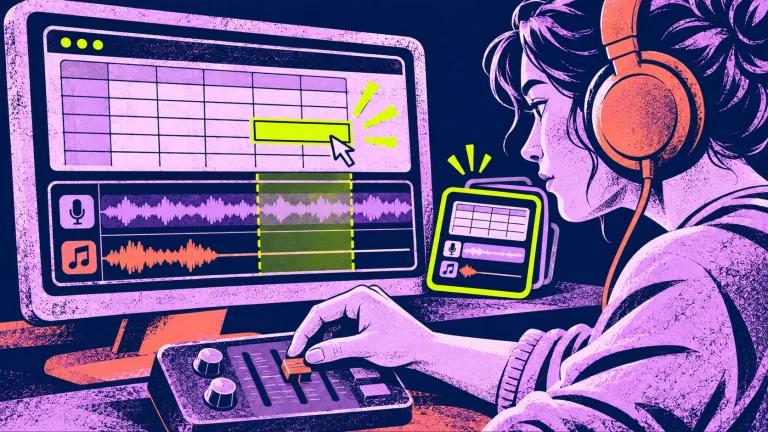
A plain spreadsheet or text table is enough. Give each row a project, a section of the video, the candidate track’s original file name, a short reason, a decision status and a link to the working edit. Include the location of the source and license documentation.
Useful statuses are simple: candidate, selected, not used. A track auditioned in an early cut should not look like a final decision. If a colleague changes the selection, add a brief reason rather than silently replacing the old note.
In the lesson row, a note might say: “Candidate for the opening only; detailed instructions remain voice-led.” In the trailer row: “Selected for the product demonstration sequence; check the ending against the spoken invitation.” Those are editing decisions people can understand when they return to the project.
Label shortlists by the job, not a vague mood
A label such as “nice tracks” does little for the next editor. “Lesson openings to audition” or “programme trailer candidates” says where to start. You can include a mood description, but keep it attached to a practical purpose.
Do not treat the shortlist as a rule that all tutorials must use one track. The actual voice, pictures and pace still matter. Your index should narrow the next decision, not replace listening. A project can also record “no music in this section” as a deliberate, finished choice.
Leave a handover that answers the next question
When an edit is ready for review, record which version contains the chosen soundtrack and who needs to check it. Keep the original audio reference, intended finished-project use and license reference close to the deliverable note.
For client work, distinguish the completed video from requests for isolated audio files. Check the supplied license before handing over anything beyond the finished project. Clear notes help the team answer the question without assuming that a purchase transfers authorship or unlimited redistribution rights.
Finally, name one person to keep the index tidy for the current project. That need not be a permanent administrative role. At the end of an editing session, the practical task is small: mark the chosen candidate, link the current cut, and leave a sentence explaining the decision.
Use a combined collection when the workload calls for it
Complete Music Library – Vol. 1 combines 36 tracks for learning and promotional work in one edition. The smaller Thinking & Learning and Marketing & Launches collections may be the more relevant starting point if your current work covers only one of those needs.
For the creative distinction between the two uses, read One Music Collection, Two Jobs. Then organise just one project. A source folder, a short index and a decision note are a useful first version of a system the team can return to tomorrow.
To build your first shortlist, use the course-background-music listening exercise or the one-sentence launch-video music brief, depending on the project in front of you.


Keskustelu 1